
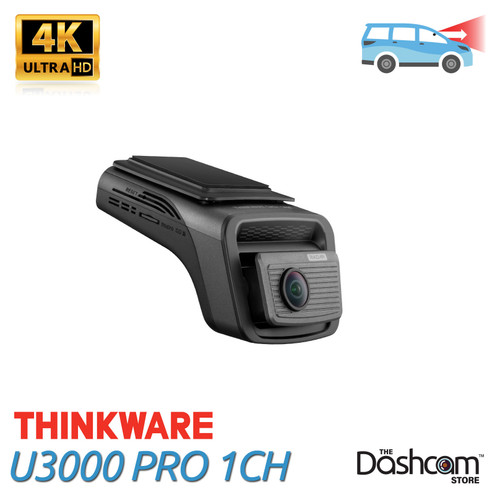





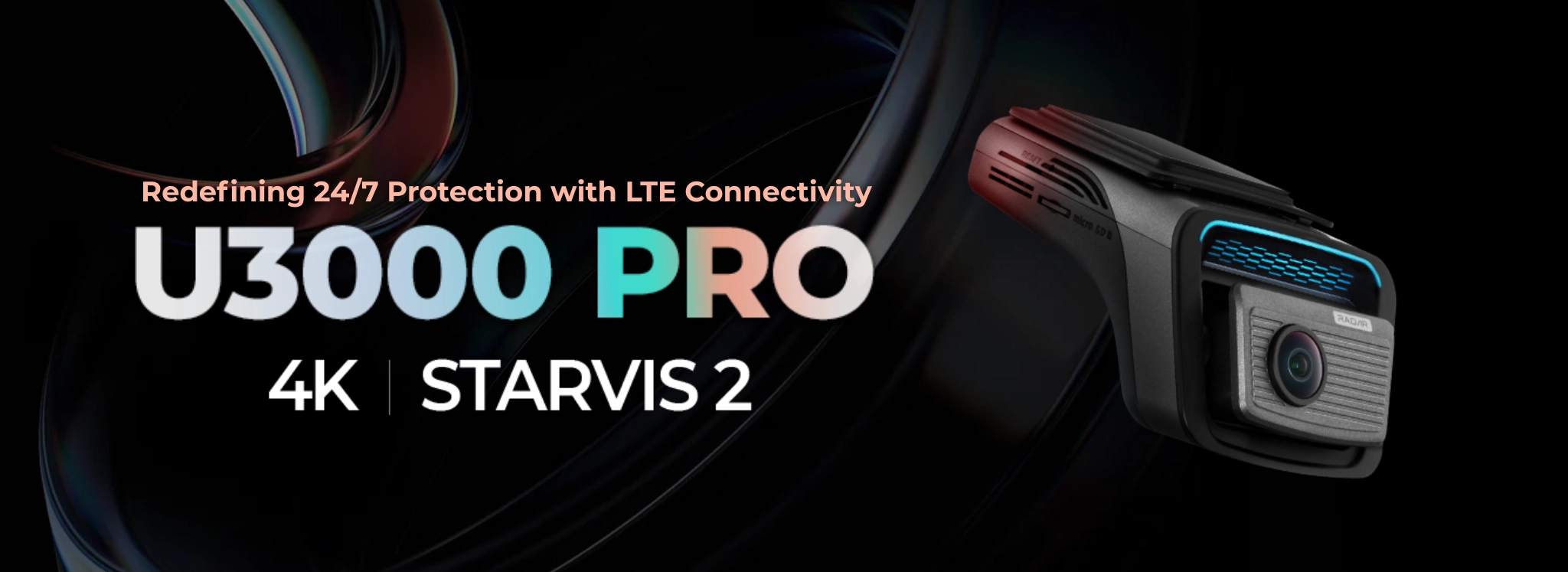
Experience the next evolution in vehicle security with the Thinkware U3000 PRO dash cam. Building on the acclaimed U3000 platform, the PRO model features a significantly upgraded built-in radar system. This dual-channel radar now operates at a higher frequency with a larger detection range of up to 10 meters and boasts 10% lower power consumption (down to 4.8mA). This means the PRO provides the longest duration for its radar-buffered parking surveillance, offering the most intelligent and energy-efficient monitoring available for your parked vehicle.
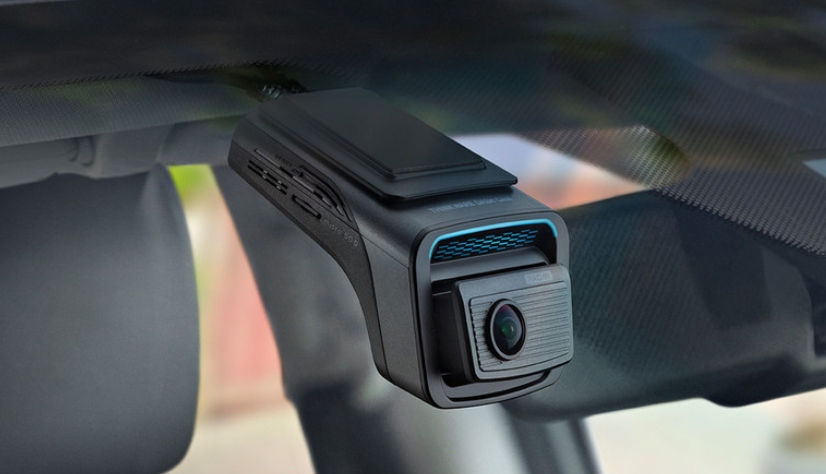
The U3000 PRO sets a new benchmark for clarity with its 4K UHD front camera powered by Sony’s latest STARVIS 2 IMX678 sensor and HDR, working together with Thinkware’s Super Night Vision 4.0 to deliver truly crisp, balanced footage day and night. The PRO model adds a dedicated USB-C accessory port, enabling next-level expandability for either an optional interior IR camera for three-channel coverage or the new optional LTE module for advanced remote connectivity. Paired with the Thinkware Connected app, you can now enjoy faster data transfer and real-time remote features like Live View and Impact Notification from virtually anywhere.
Embrace a new standard in vehicle security and surveillance with Thinkware U3000 PRO.
Looking for front AND rear video + radar coverage? See the Thinkware U3000 PRO 2CH (click here) instead.
4K UHD Video Quality With Sony STARVIS 2
Record every moment with exceptional clarity. The U3000 PRO features Sony’s STARVIS 2 IMX678 sensor up front for sharp 4K resolution, so even at highway speeds or through glare and reflections, crucial details like license plates stay readable and well-defined.
Extra Long-Duration Parking Mode with Built-in Upgraded Radar
Experience a smarter way to safeguard your vehicle with the U3000 PRO's new extended Radar Parking Mode. While previous generations required the radar unit to be bought separately, the U3000 PRO comes with it built in! This unique feature uses the built-in radar system to offer power-efficient monitoring with minimal power drain (hardwiring or OBD-II cable required). You can now enjoy extended parking surveillance that includes footage of events prior to any incident. The moment a motion or impact is detected, the U3000 PRO ensures you don't miss a thing, preserving a 20-second video snapshot - 10 seconds before, and 10 seconds after the detected event.
3 Additional Alternative Parking Modes
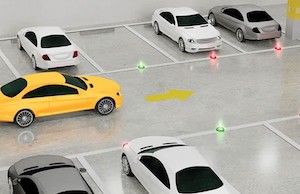
You can also tailor the U3000 PRO’s Parking mode based on your surveillance needs by choosing from standard Motion Detection (using the image sensor, not radar, to detect motion), Time Lapse, Energy Saving Parking mode, as well as the new Radar-based parking mode mentioned above.
Motion Detection
When any motion or impact is detected any it instantly records a 20-second video clip – 10 seconds prior to and 10 seconds post the event – ensuring you have comprehensive coverage of the incident.

Time Lapse
Recording at a rate of 2 frames per second, this feature extends parking surveillance without any extra power drain.
Energy Saving Parking mode
This mode only recording a 20-second clip when an impact occurs, ensuring less power usage, letting your dash cam stay alert for longer durations with minimal energy consumption.
No Overheating in Parking Mode
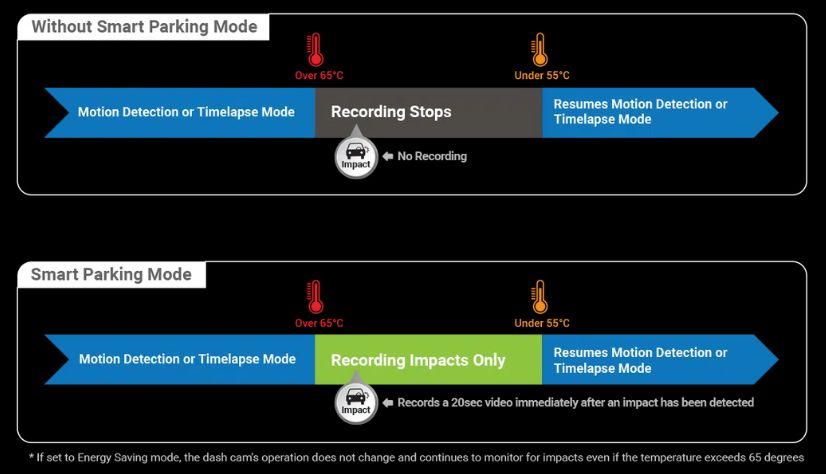
The U3000 PRO's "smart" heat-sensitive technology is designed to combat overheating. If the temperature within the vehicle climbs too high during Parking Mode, it automatically switches to a low-power state, preventing any heat-related damage. In this state, the dash cam is on the lookout for impact-triggered incidents only, returning to Motion Detection or Timelapse Parking Mode once temperatures are back within safe limits.
Super Night Vision 4.0
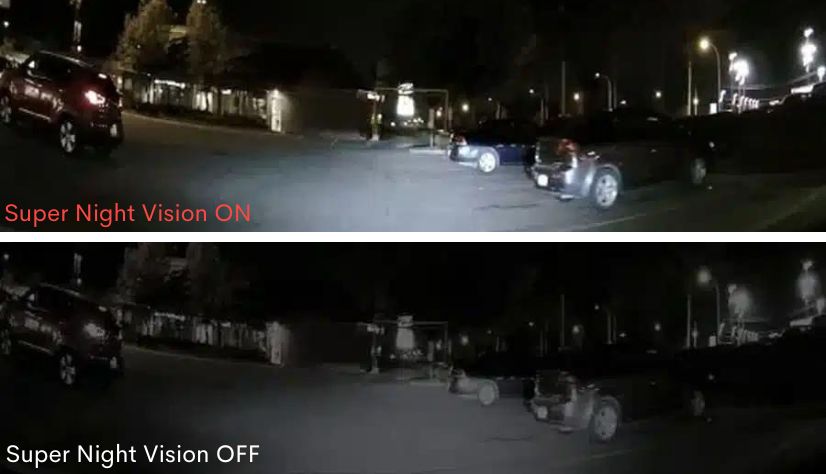
Super Night Vision 4.0 takes advantage of Sony STARVIS 2’s advances in high sensitivity and low noise technology to help the U3000 PRO capture clearer footage in low-light conditions. If you're looking for the best possible quality video footage from a dashcam, this could be it!
Easy Device Pairing
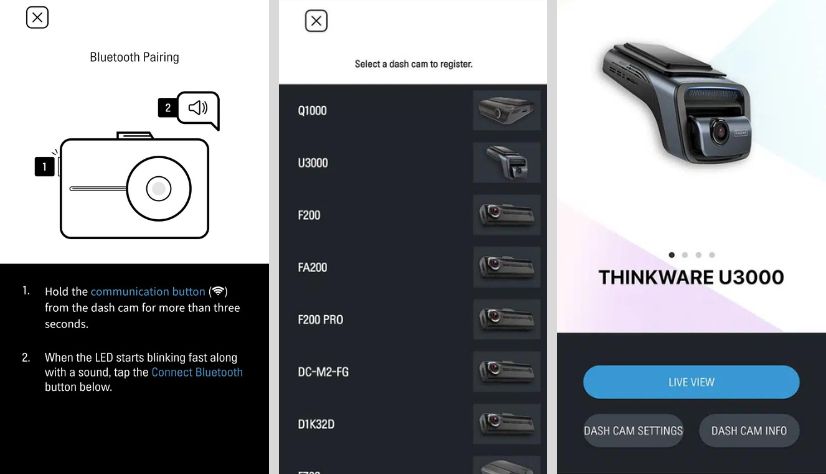
Seamlessly sync with your Android or iOS device using built-in Bluetooth and the Thinkware Link App. Easily revisit your recent driving videos and customize your dash cam's settings all through the convenience of the app.
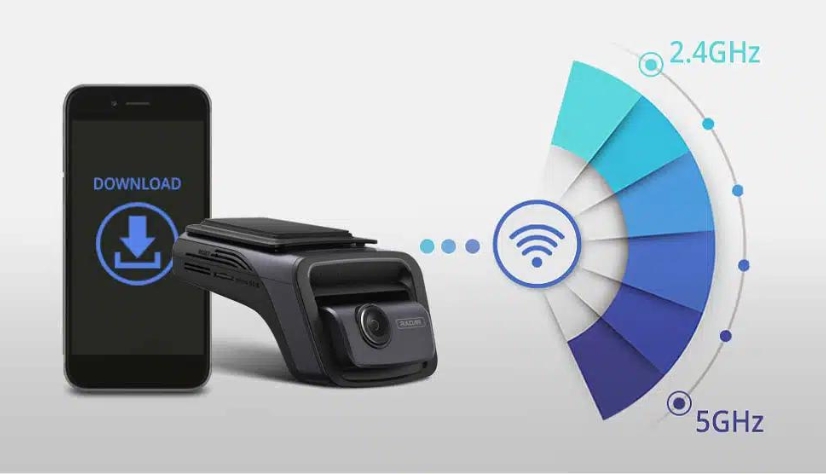
Dual-Band Wifi
Enjoy the best connectivity in any environment with the dual-band Wi-Fi. Whether you're using an iOS or Android smartphone, choose between 2.4 GHz or 5 GHz bandwidths for quicker file transfers, ensuring smooth operation in any setting.
ADAS & Safety Camera Alert
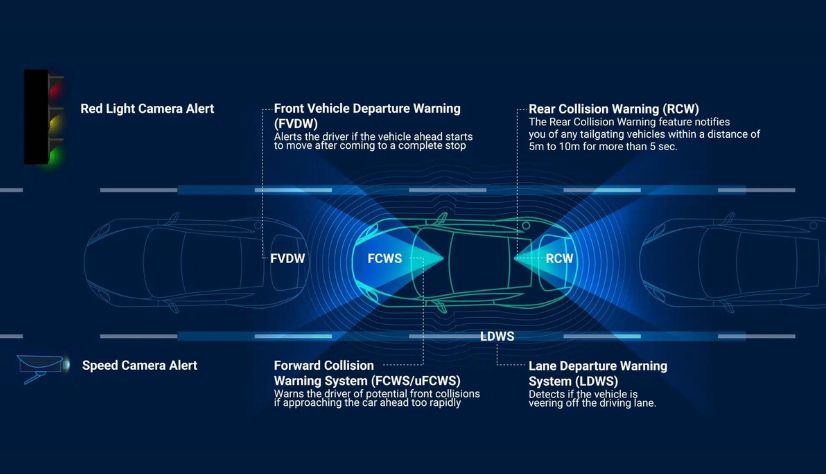
The Advanced Driver Assistance System (ADAS) enhances road safety with audible alerts for lane departures, vehicle movements, and potential collisions. Built-in GPS keeps track of speed, time, and routes, and alerts you of upcoming traffic cameras, ensuring a secure and well-informed drive. Alerts may be disabled.
Front Vehicle Departure Warning
Alerts driver if vehicle ahead starts to move after after coming to a complete stop
Rear Collision Warning
Rear Collision Warning notifies you of any tailgating vehicles within 5m to 10m for more than 5 sec.
Forward Collision Warning
Warns the driver of potential front collisions if approaching the car ahead too rapidly.
Lane Departure Warning
Warns the driver of potential front collisions if approaching the car ahead too rapidly.

Thinkware CONNECTED
Stay plugged into your vehicle no matter where you are. The THINKWARE Connected LTE Module links your U3000 PRO dash cam to the cloud for 24/7 status, alerts, and remote access straight from your phone, whether your car is parked around the corner or across the country. Picture leaving your vehicle in a crowded lot or lending it out for the day. With this LTE module, your U3000 PRO goes from a basic recorder to a true 24 hour security and tracking system, letting you open a live view whenever you want and delivering instant impact alerts to your phone. The LTE Module comes with a USIM and includes a FREE 3 year Basic Plan with a Premium trial during the first month, and you can upgrade to the Premium Plan at any time, turning your dash cam into an always on guardian you can manage from anywhere.
- Dedicated LTE With Included Plan: The optional LTE module comes with built-in LTE means no phone hotspot required for faster status checks, live location tracking, and smarter geofencing based theft deterrence. The LTE Module comes with a USIM and includes a free 3 year Basic Plan, with a Premium trial during the first month. Users can upgrade to the Premium Plan at any time.
- Always Online: Check in any time with remote live view and get instant impact notifications through the THINKWARE CONNECTED app.
- Simple Plug-and-Play: Just connect it to your U3000 PRO and tuck it in your glovebox or on the dash for a clean, low profile install.
- Parked Mode Protection: Receive alerts while your vehicle is parked, perfect for tight city garages, keeping an eye on new or teen drivers, or overseeing multiple vehicles.
- Smarter Location Tracking: View your car’s current position, review trip history, and set virtual boundaries in the app for clearer oversight and control.


Includes USIM + 3-Year Free Basic Service
Every LTE Module comes with a
USIM and includes a free Basic Plan, with a Premium trial
during the first month.
Users can upgrade to the Premium Plan at any time.
THINKWARE CONNECTED Service Overview & Terms
-
Introductory Benefit:
Free service for the first 3 years.
- Month 1: PREMIUM Plan trial
- Months 2–36: Automatically switches to Basic Plan
- After 3 Years: Service ends automatically. To continue, you’ll need to purchase a plan — there is no auto-renewal.
- Upgrading: You may upgrade to the Premium Plan at any time during the Basic period via in-app purchase.
- Renewal: All plans are fixed-term and do not auto-renew.
- Note: To use THINKWARE CONNECTED with the U3000 PRO, the LTE Module is required. Wi-Fi hotspots and tethered mobile data connections are not supported for CONNECTED services.
| Service Type | BASIC | PREMIUM | |
|---|---|---|---|
| Price (USD) | Free (for 3 years) After, $3.49/mo or $34.99/yr (Taxes/VAT Included) |
$8.90/mo or $89.00/yr (Taxes/VAT Included) |
|
| Service Period | Active during subscription | Active during paid subscription | |
| Emergency Contacts | 1 contact | 2 contacts | |
| Notifications | Parking Impact |
Unlimited (Motion image only, up to 10 alerts/day) |
Unlimited (Thumbnails + Videos) |
| Driving Impact |
Unlimited (Alerts only) |
Unlimited (Video uploads, up to 10/month) |
|
|
Dash Cam Status (Driving/Parked/Power-Off) |
✔ | ✔ | |
|
Geo-Fence Entry/Exit Alerts |
✔ (Up to 2 zones) |
✔ (Up to 5 zones) |
|
|
Remote Access |
Dash Cam Power-Off | ✔ | ✔ |
| Remote Live View | 10 mins / month | Unlimited + Live History | |
| Send SOS Videos | Not Supported | Supported (Up to 10 uploads/month) | |
| Last Parking Location |
Unlimited (Up to 4 images/day) |
Unlimited (With images) |
|
| My Route (Driving History) | Route only (90 days) | Route (90 days) + Monthly Reports | |
| OTA Updates | Not Supported | Firmware & Speed Cam Data | |
| Device Limit Per Account | Up to 30 Dash Cams | Up to 100 Dash Cams | |
- Prices shown in USD. Final charges may vary by local currency, exchange rates, and taxes. Please refer to the in-app checkout price for details.
Apps
Availability
The new Thinkware U3000 PRO 1CH, *** in stock and shipping from Texas now! *** Order today! Includes free USA shipping and 1 year manufacturer warranty.
Thinkware Installation Resources
- Detailed How-To Guide: How To Hardwire Your Thinkware Dashcam (Hardwire Kit)
User Manual
- Coming Soon!
Apps
Frequently Asked Questions - Thinkware U3000 PRO
- What's different from the previous Thinkware U3000 model?
- Upgraded dual-channel radar with longer detection range (up to 10m) and ~10% lower power draw for extended parking surveillance.
- HDR added to the 4K front camera for cleaner night footage, reduced headlight glare, and better detail in high-contrast scenes.
- Front camera now uses Sony’s latest STARVIS 2 IMX678 sensor for sharper, more balanced 4K video.
- Optional rear camera (sold separately) is upgraded to a STARVIS 2 IMX675 sensor with HDR for a big step up in low-light performance versus the original U3000 rear cam.
- New USB-C accessory port enables expandability with either an optional interior IR camera or the new LTE module.
- LTE compatibility unlocks connected features like Live View, impact notifications, and remote vehicle status through the Thinkware Connected app.
- Refined optical design with a new curved front lens and updated CPL filter for cleaner, more controlled footage in bright conditions.
- How does the U3000 PRO compare to other Thinkware models? Please see out Thinkware Buyer's Guide for a detailed comparison.
- What options do I have for installing/powering the U3000
- Plug the included power cord into an available 12V DC outlet in your vehicle (no "parking mode" recording)
- Connect the direct-wire power cable (optional, included) directly to your fuse box. Enables safe "parking mode" recording.
- Connect the OBDII cable (optional, not included) into the vehicle's on-board diagnostic (OBD) port. Enables safe "parking mode" recording. Enables safe "parking mode" recording for as long as the Xtra has power.
- Utilize The direct-wire cable (included) and the iVolt Xtra Battery (optional, not included) to power your dashcam without risk to your vehicle battery.
- Utilize a standalone Thinkware Battery Pack (optional, not included)
- Do you have more questions related to Thinkware dashcams? If so, please see our Thinkware Dash Cam FAQ page to learn more.
Videos Hide Videos Show Videos
-

THINKWARE U3000 PRO Dash Cam | 4K & 2K with HDR | Engineered for Clarity. Built for 24/7 Protection.
#Thinkware #아이나비 #DashCam Meet THINKWARE DASH CAM: https://ln...
-
How to Install the LTE Module and Register Your Dash Cam with the THINKWARE CONNECTED App
#Thinkware #아이나비 #DashCam Meet THINKWARE DASH CAM: https://ln...
-
THINKWARE CONNECTED | Monitor. Control. Protect.
#Thinkware #아이나비 #DashCam Meet THINKWARE DASH CAM: https://ln...
-
[Thinkware Dashcam Link] How to Connect via Wi Fi and Bluetooth
#Thinkware #아이나비 #DashCam Meet THINKWARE DASH CAM: https://ln...


Thinkware
Thinkware iVolt Xtra Battery Pack
Thinkware's new iVolt Xtra BAB-95 External Battery, a step up from the previous iVolt Mini BAB-50, is designed to supercharge your Thinkware dashcam's parking mode for extended use......
Thinkware
Thinkware LTE Module for Thinkware Connected Dash Cams | TWA-LTE
Stay plugged into your vehicle no matter where you are. The THINKWARE Connected LTE Module links your U3000 PRO 1CH or U3000 PRO 2CH dash cam to the cloud for 24/7 status, alerts, an...

Thinkware
Thinkware Direct-Wire Hardwiring Kit
Thinkware's TWA-SH is a hardwiring cable that connects your Thinkware dash camera directly to your vehicle’s fuse panel, which allows the camera’s parking surveillance mode to function while the......

Thinkware
Thinkware OBD-II Constant Power Parking Mode Cable
Enjoy 24/7 protection with the new Thinkware OBD-II Constant Power Cable! Once the cable is easily installed (simply "plug and play") into the vehicle's on-board diagnostic (OBD) port, your......

Various
High Endurance Class 10 Micro SD Memory Cards | 32/64/128/256/512gb
High Endurance Micro SD cards are the perfect compliment to your new dash cam! With a Class 10 speed rating, you know your critical dashcam videos will be safely stored. We only sell the best......
Thinkware
Polarizing Filter for Thinkware Dash Cams
This polarizing filter will help maximize the video quality of your Thinkware dash cam by increasing color saturation, and reducing the sun's glare and other reflections on the windshield. The......
Thinkware
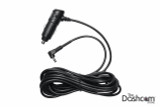
Thinkware Replacement Car Charger Power Cable | Fits Most Thinkware Dashcams
Thinkware's TWA-SC Car Power Cable is designed to be used with Thinkware Dashcams. This cable connects to your vehicle's 12V power outlet to deliver constant power to your dash cam while driving......
The Dashcam Store
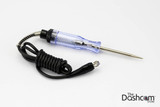
Automotive Test Light | Simple 12-24v DC Circuit Tester
Use this simple automotive circuit tester to identify suitable power circuits when installing a dashcam in your vehicle. This easy to use tool allows you to determine exactly which fuses in your fuse......
BlackVue
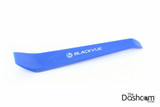
BlackVue Trim Tool | Interior Wiring Installation Helper
Used primarily as an aid for installing dashcam cables and wiring inside your vehicle. This handy trim tool will allow you to guide and tuck your wiring along and under door and window trims, body......
Thinkware Installation Resources
- Detailed How-To Guide: How To Hardwire Your Thinkware Dashcam (Hardwire Kit)
User Manual
- Coming Soon!
Apps
Frequently Asked Questions - Thinkware U3000 PRO
- What's different from the previous Thinkware U3000 model?
- Upgraded dual-channel radar with longer detection range (up to 10m) and ~10% lower power draw for extended parking surveillance.
- HDR added to the 4K front camera for cleaner night footage, reduced headlight glare, and better detail in high-contrast scenes.
- Front camera now uses Sony’s latest STARVIS 2 IMX678 sensor for sharper, more balanced 4K video.
- Optional rear camera (sold separately) is upgraded to a STARVIS 2 IMX675 sensor with HDR for a big step up in low-light performance versus the original U3000 rear cam.
- New USB-C accessory port enables expandability with either an optional interior IR camera or the new LTE module.
- LTE compatibility unlocks connected features like Live View, impact notifications, and remote vehicle status through the Thinkware Connected app.
- Refined optical design with a new curved front lens and updated CPL filter for cleaner, more controlled footage in bright conditions.
- How does the U3000 PRO compare to other Thinkware models? Please see out Thinkware Buyer's Guide for a detailed comparison.
- What options do I have for installing/powering the U3000
- Plug the included power cord into an available 12V DC outlet in your vehicle (no "parking mode" recording)
- Connect the direct-wire power cable (optional, included) directly to your fuse box. Enables safe "parking mode" recording.
- Connect the OBDII cable (optional, not included) into the vehicle's on-board diagnostic (OBD) port. Enables safe "parking mode" recording. Enables safe "parking mode" recording for as long as the Xtra has power.
- Utilize The direct-wire cable (included) and the iVolt Xtra Battery (optional, not included) to power your dashcam without risk to your vehicle battery.
- Utilize a standalone Thinkware Battery Pack (optional, not included)
- Do you have more questions related to Thinkware dashcams? If so, please see our Thinkware Dash Cam FAQ page to learn more.