








Access The Cloud
via optional LTE module

Parking Mode
24/7 Surveillance
Redefined 4K Clarity with Dual HDR
ELITE 9 offers improved dash cam performance with advanced HDR technology. It is designed to provide clear and well-balanced video recordings in both bright sunlight and low-light situations.
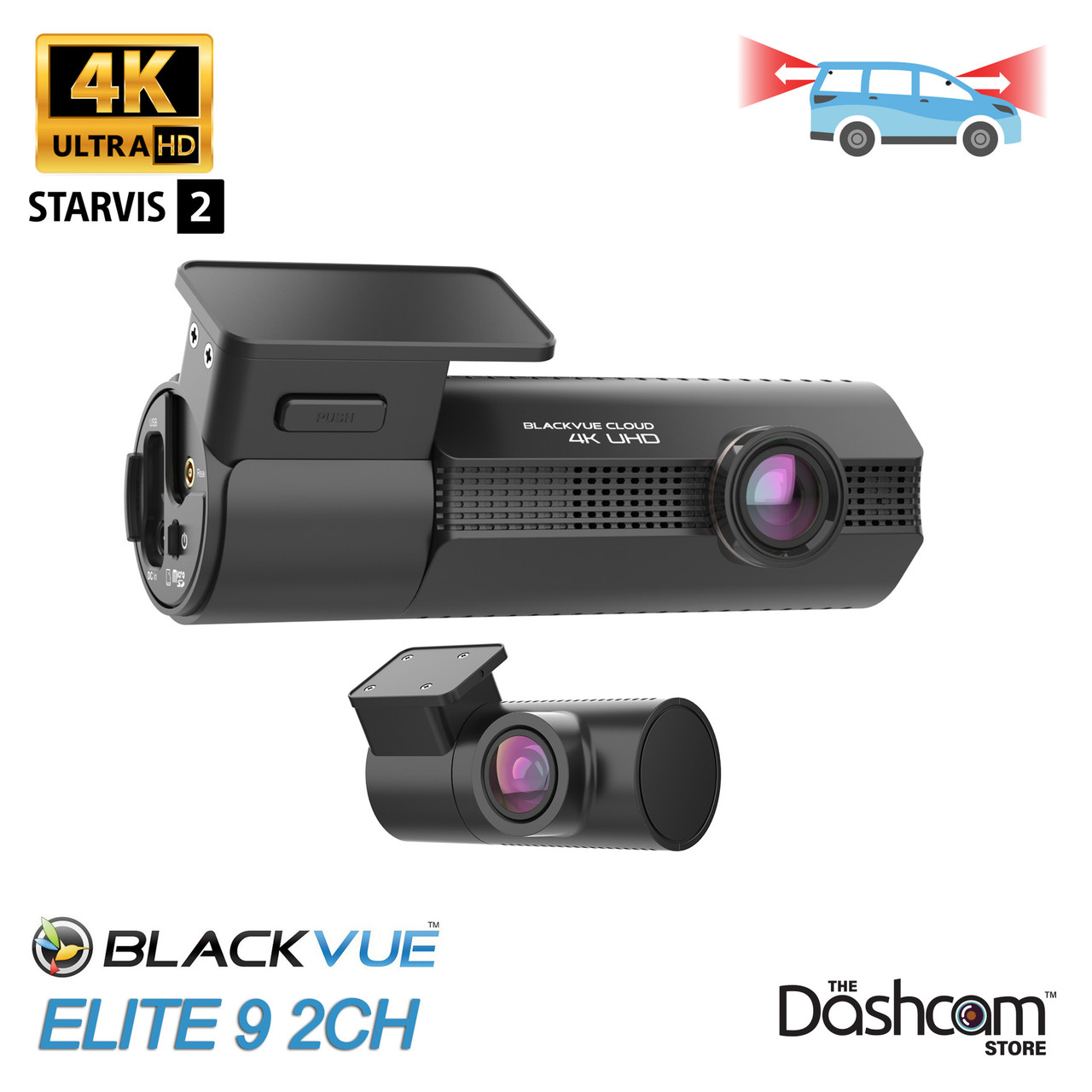
Sony IMX678 STARVIS 2 front sensor and IMX675 rear sensor capture crisp 4K (3840×2160) and 2K (2560×1440) video.
HDR on both cameras reduces glare and motion blur, sharpening details so license plates stay readable in motion.
Fast f/1.7 front and f/2.0 rear lenses with 146° / 142° wide angles deliver bright, low-distortion footage day and night.

18 Years of BlackVue Imaging Mastery
ELITE 9 redefines dash cam clarity by combining the best components with BlackVue’s expert image tuning mastery acquired over 18 years of experience.

Slim, Purpose-Built Design
BlackVue’s signature design makes your dash cam almost invisible to the driver when installed behind the rear-view mirror.
All the essentials are right where you need them. A dedicated USB port lets you plug in the optional CM100G LTE module for always-connected protection, while the power button handles quick on/off with a short or long press. Lift the side cover to access the microSD card, and rely on the built-in speaker and microphone for clear audio and voice prompts in up to 17 languages (or mute them in the settings if you prefer). LED indicators show recording and connectivity status at a glance, and a touch-sensitive area lets you tap to instantly trigger a Manual Event recording.

All Features At Your Fingertips
The BlackVue App is designed with simplicity and ease of use in mind. No convoluted menus. Access all the key features from the main screen.
Intuitive Interface
Need to check and download a video to your phone? No problem. Just open the BlackVue App and tap the Playback/Live View button, then browse your videos.

Fast Wi-Fi
ELITE 9 lets you download a max resolution video clip in about 10-20 seconds (5GHz connection).

Parking Mode
Connecting the ELITE 9 to your car via the included Hardwiring Power Cable or the optional B-130A Battery Pack battery pack allows for parking mode. When parked, the ELITE 9 can also detect any visual movements around your vehicle. These events are automatically tagged and saved. If a cloud connection is present, you'll have the ability to receive alerts and view the clips from both computer and mobile device.
Elite Protection 24/7
ELITE detects and records a wide range of incidents such as driving impacts, parking impacts, sudden acceleration, braking, sharp turns, and speeding using the built-in G-Sensor and GPS.

Pre-Event Recording & Protection
Each 1-minute Event clip includes a 10-second pre-incident buffer to capture what led up to the moment, and the latest 50 clips are automatically protected from being overwritten—so you never lose critical footage.

Buffered Parking Mode
In Parking Mode, motion detection triggers a 1-minute buffered recording from the front or rear camera, while timelapse mode continuously records at 1 frame per second—compressing 30 minutes of real time into a 1-minute clip.

Power Saving Mode
The ELITE 9 wakes up on impact then goes back to standby mode after 1 min recording (buffered recording not supported). Provides several days of protection. Ideal when leaving your vehicle unattended for extended periods of time.
Built-in Impact & Motion Detection
While on the road, the built-in accelerometer (G-sensor) can detect sudden changes in speed or impacts. When parked, the ELITE 9 can also detect any visual movements around your vehicle. These events are automatically tagged and saved. If a cloud connection is present, you'll have the ability to receive alerts and view the clips from both computer and mobile device.
GPS, Wi-Fi and Seamless Pairing
GPS Logging
You can check the position of your vehicle on the map while playing back the video, and the speed can also be overlaid on the video. The speed overlay can be hidden in the settings.
5GHz Wi-Fi Connectivity
With Wi-Fi connectivity, you can easily link your BlackVue dashcam to your smartphone or tablet. Additionally, Wi-Fi allows your BlackVue to connect to the BlackVue Cloud using any mobile or home Wi-Fi hotspot or router for easy access to files and settings.
Optional LTE Module
The ELITE 9 be connected to BlackVue Cloud via an optional LTE connectivity module via the USB port for the best Cloud experience.
Optional External Battery
The B-130A Power Magic Ultra Battery is the latest and greatest way to power your BlackVue dash cam without tapping into your car’s battery. It keeps your dash cam running in parking mode or connected to the cloud—even when your engine’s off.

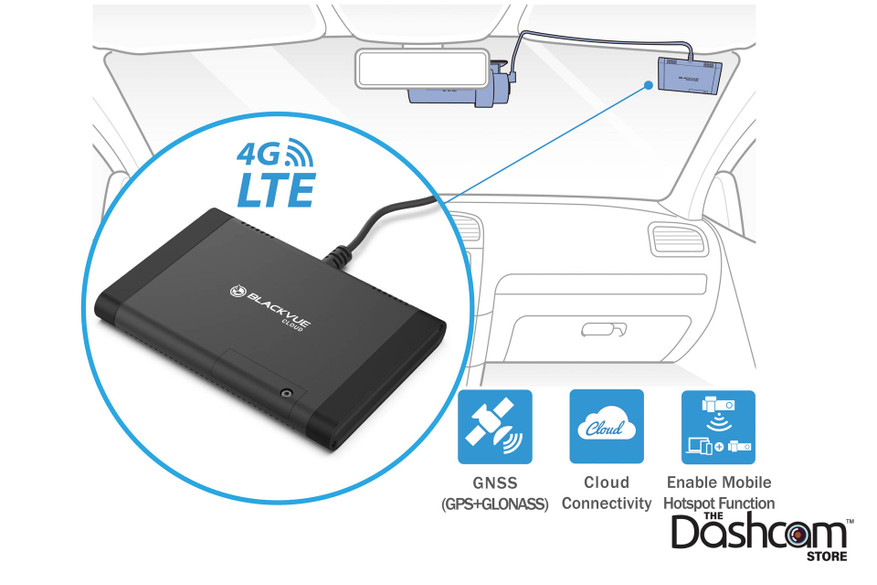
Optional LTE Module
The optional CM100LTE module makes it easy to connect to the cloud 24/7. This add-on device connects to the ELITE 9 front camera via USB port, providing a constant internet connection and allowing the ELITE 9 to serve as a mobile hotspot for up to five devices. Unlike in-vehicle Wi-Fi hotspots, the module stays powered on while parked and provides access to your dash camera from anywhere in the world. If you'd like LTE built directly into your dash cam, check out the DR970X-2CH-LTE-PLUS II
BlackVue Cloud
Packed With Innovative Features Live View, Emergency Alarm, GPS Tracking,Two-way Voice Communication, Video Backup, Remote Video Playback, the possibilities are endless. BlackVue Over the Cloud is all about using your dashcam to its full potential, so that you and your car are always connected

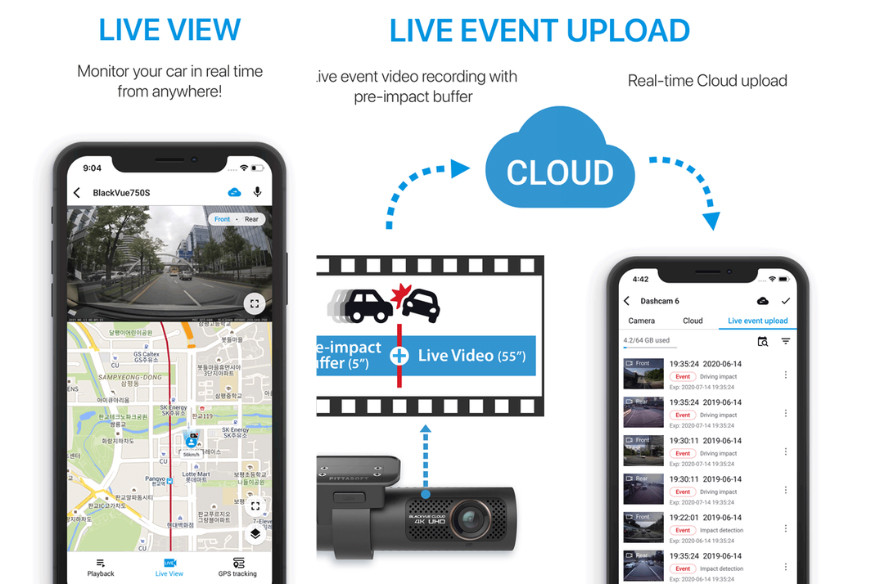
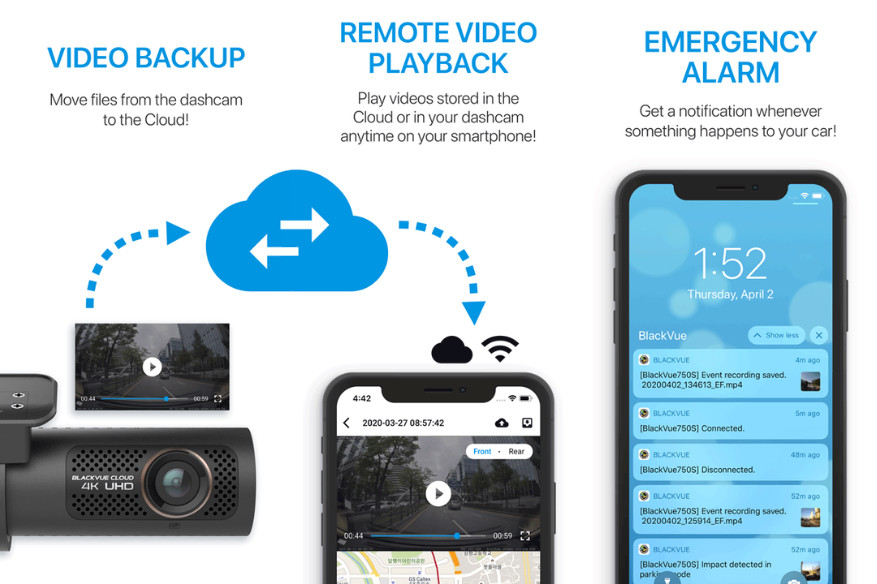
* Requires connection to Wi-Fi or Optional LTE Module. For Built-In LTE dash cams check out the DR970X-2CH-LTE-PLUS II!
More Features & Information
The ELITE 9 is of course still fully functional as a 'typical' dash cam, recording at all times when you drive, whether you choose to utilize the optional LTE / Cloud features or not:
- When plugged in to your standard power outlet in the vehicle, the system will still power on and off with the vehicle, automatically recording audio, video and GPS speed & location at all times as you drive.
- For motion detection ("parking mode") recording, the ELITE 9 can be hardwired directly to the vehicle's electrical system via the included direct-wire cable. Alternatively, the ELITE 9 can also be powered by the BlackVue B-130A Battery Pack instead of your car battery while the vehicle is parked.
- All normal driving and parking mode recordings are automatically stored locally on the internal BlackVue memory card (64/256/512 GB options available - 1TB max memory card size). Once the memory card is completely 'full', only the oldest video file on the card is overwritten as each new video file is created (this is known as loop recording).
- The memory card can be removed and plugged in to your PC or Mac using a microSD to USB adapter. This is an easy way to do a bulk download or backup of all your videos.
- The ELITE 9 does not have a screen on it from which to play back recorded videos from the memory card. Thankfully, the recordings can be accessed via a direct WiFi connection. You can connect to the Elite 9 with your smartphone the same way you would connect to a WiFi network at home or at Starbucks, then use the free BlackVue app to view and download your recordings directly from the camera.
- Audio recording, on by default, can be disabled temporarily, or turned off completely by default.
- GPS speed display can be disabled from being visible in your video recordings.
- Everything you need to use the system is included in the box: front camera with adhesive windshield mount, rear camera with mount, BlackVue memory card, USB-C power cable, optional direct-wire power cord, etc.
A Note on Memory Cards
All BlackVue dashcams include a BlackVue-branded 64, 256, 512 GB memory card. While the memory cards are
removable and the card
slots will accept other brands of memory cards, we strongly suggest the use of only BlackVue memory cards in the
BlackVue dashcams, as the use of a non-BlackVue memory card may cause performance issues and may void your
manufacturer’s warranty.
BlackVue OEM memory cards are industrial-grade VNAND-type microSD cards and are designed and tested to withstand the
extreme temperatures, vibrations and
the constant read/write cycles of high quality dashcams. Typical consumer-grade memory cards such as those from
SanDisk are simply not up to the task. Stick with the OEM BlackVue memory cards to ensure your dashcams are always
recording when it matters most.
Why Buy from The Dashcam Store? To Name a Few...
- Free UPS/FedEx ground shipping on all dashcam purchases
- Excluding pre-orders, if you can buy it online, it's in stock!
- All in-stock items will ship next business day
- USA sales, shipping and support: we're headquartered in Austin, TX, y'all!
- One year warranty on all dashcams, extended warranties are available
- 60-day return window, hassle free return policy
- Official authorized BlackVue distributor in North America
- Phone, email, and live-chat sales and technical support
- Dashcam experts, dashcams are all we do! Test our knowledge and expertise!
- Price match guarantee
- Military & First Responder discount
- Support an American small business, we appreciate it!
Availability
*** In stock and shipping FREE from Texas now! *** Order today!
The Dashcam Store™ is an official USA, Canada and Mexico distributor of the BlackVue product line. Beware of unauthorized or grey-market third-party sellers!
User Manual
- Coming Soon!
What's included in the Box
- BlackVue ELITE 9 4K Front-Facing Camera w/ Windshield Mount (MB-E-F)
- BlackVue ELITE 9 2K Rear-Facing Camera w/ Windshield Mount (MB-E-F)
- USB-C Power Cable (USBC-3P) 4.5M (~15ft)
- USB-C Power Adapter
- Direct-Wire Power Cord (CH-3P1) 4.5M (~15ft)
- Rear camera connection cable (CC6G-6) 6M (~20ft)
- BlackVue OEM MicroSD Memory Card (choice of 64/256/512 GB)
- Spare Double-sided tape for the mounting brackets
- Pry tool / Trim Remover
- Cable clips (5 Each)
- Alcohol Prep Pad
Frequently Asked Questions - BlackVue ELITE 9
- How does the ELITE 9 compare to other BlackVue models? Please see our BlackVue Dash Cam Buyer's Guide for a detailed comparison
- Elite 8 1CH: 2K front camera
- Elite 8 2CH: 2K front camera, 2K rear camera
- Elite 9 2CH (THIS MODEL): 4K front camera, 2K rear camera
- Elite 10 1CH: 4K front camera
- Elite 10 2CH: 4K front camera, 4K rear camera
- How can I connect to the ELITE 9 with my smartphone or via the Cloud? Answer: Two Methods to Connect Wirelessly to Your BlackVue Dash Cam
- What options do I have for installing/powering the ELITE 9?
- Plug the standard USB-C plug-in power cord (included) into an available 12V DC outlet in your vehicle (no "parking mode" recording), or
- Connect the direct-wire power cable (optional, also included) directly to your fuse box. This enables safe "parking mode" recording. Or
- Utilize a standalone BlackVue B-130A battery pack (optional, not included)
- For more info see our infographic which illustrates 3 ways to install & power your BlackView X-Series dashcam.
- The ELITE 9 is "Cloud-Capable", please tell me more about that. Please visit our BlackVue Over-the-Cloud page
- Does the ELITE 9 offer "Parking Mode"? Yes! Please see our Parking Mode and Power Magic FAQ page
- Additional questions? Please see our BlackVue-specific Frequently Asked Questions page.
Videos Hide Videos Show Videos
-

BlackVue ELITE Series Teaser: 4K HDR meets Sony STARVIS 2
Get it from the BlackVue Official Store: https://blackvue.com....
-
BlackVue ELITE 9: 4K Comparison Video, Daylight Driving
🔗: https://blackvue.com/ See the difference. The ELITE 9 with ...
-
BlackVue ELITE 9 Dash Cam and Accessories Overview | BlackVue Shopping Guide
Get it from the BlackVue Official Store: ELITE 9-2CH: https:/...
-
BlackVue ELITE 9: Daylight 4K HDR Dashcam Sample Footage
https://blackvue.com/ The proof is in the footage. The BlackV...
-
BlackVue ELITE 9: Nighttime 4K HDR Dashcam Sample Footage
https://blackvue.com/ The proof is in the footage. The BlackV...
-
ELITE Power Saving Parking Mode Wakeup Test | BlackVue Deep Dive
🛒ELITE 8 on Amazon.com: https://amzn.to/47nH7Ax On the BlackV...


BlackVue
BlackVue B-130A Ultra Battery Pack
*** New for 2025! In stock and shipping now! *** BlackVue B-130A | High-capacity Battery for Parking Mode The...

BlackVue
LTE Module for BlackVue DR770X/970X/ELITE Series Dash Cams | CM100GLTE-NA
Plug-in Cloud Connectivity for BlackVue 770X, 970X, and ELITE series Dash Cams Stay connected to your BlackVue DR770X/DR970X/ELITE dashcam 24/7 with the new 4G LTE USB Plug-in Connectivity......

BlackVue
BlackVue Direct-Wire Harness for DR590X/770X/970X/Elite Dash Cams | CH-3P1
Want to hard-wire your BlackVue DR590X, 770X, 970X or Elite series dash cam directly to your car's electrical system? This direct-wire power wire harness works with all "X" Series (590X, 750X......

The Dashcam Store
Fuse Tap Bundle for Dash Cam Installation | Includes All 4 Types of Fuse Taps
We are now offering a complete Fuse Tap Bundle, for use with the BlackVue Power Magic Pro or other brand of low-voltage cutoff hardwire module or direct-wire harness! These fuse taps can be used to......

BlackVue
BlackVue OEM Class 10 Micro SD Memory Cards | 32/64/128/256/512gb
BlackVue OE (Original Equipment) Micro SD cards are the perfect storage solution for your new BlackVue dashcam! With a Class 10 speed rating and the dependability of the BlackVue brand, you know......

BlackVue
Replacement Coaxial Cable for BlackVue DR750, 900, 770, 970, BOX and ELITE 2-Channel Secondary Camera
Need an extra BlackVue rear camera cable for a second vehicle or to replace a damaged or lost cable? These direct replacement coaxial cables work with the DR430-2CH, DR470-2CH, DR550GW-2CH,......
BlackVue
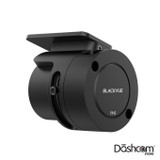
BlackVue Tamper-Proof Case for ELITE Series Dashcams | TP-E
The BlackVue TP-E Tamper-Proof Case is a security accessory custom-built for the BlackVue ELITE Series dash cam. This robust cover prevents rotation of the camera, blocks physical access to the......
The Dashcam Store
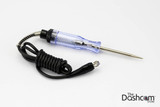
Automotive Test Light | Simple 12-24v DC Circuit Tester
Use this simple automotive circuit tester to identify suitable power circuits when installing a dashcam in your vehicle. This easy to use tool allows you to determine exactly which fuses in your fuse......
BlackVue
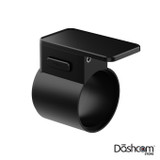
BlackVue ELITE Series Front Windshield Bracket | MB-E-F
An extra BlackVue ELITE Series FRONT dash cam windshield bracket for a second vehicle or to replace a damaged or lost mount. Includes brand new super-strong adhesive pad already attached to......
BlackVue
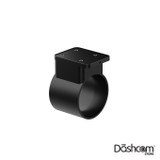
BlackVue ELITE Series Rear Windshield Bracket | MB-E-R
An extra BlackVue ELITE 8, 9, or 10 REAR dash cam windshield bracket for a second vehicle or to replace a damaged or lost mount. Includes brand new super-strong adhesive pad already attached to......
User Manual
- Coming Soon!
What's included in the Box
- BlackVue ELITE 9 4K Front-Facing Camera w/ Windshield Mount (MB-E-F)
- BlackVue ELITE 9 2K Rear-Facing Camera w/ Windshield Mount (MB-E-F)
- USB-C Power Cable (USBC-3P) 4.5M (~15ft)
- USB-C Power Adapter
- Direct-Wire Power Cord (CH-3P1) 4.5M (~15ft)
- Rear camera connection cable (CC6G-6) 6M (~20ft)
- BlackVue OEM MicroSD Memory Card (choice of 64/256/512 GB)
- Spare Double-sided tape for the mounting brackets
- Pry tool / Trim Remover
- Cable clips (5 Each)
- Alcohol Prep Pad
Frequently Asked Questions - BlackVue ELITE 9
- How does the ELITE 9 compare to other BlackVue models? Please see our BlackVue Dash Cam Buyer's Guide for a detailed comparison
- Elite 8 1CH: 2K front camera
- Elite 8 2CH: 2K front camera, 2K rear camera
- Elite 9 2CH (THIS MODEL): 4K front camera, 2K rear camera
- Elite 10 1CH: 4K front camera
- Elite 10 2CH: 4K front camera, 4K rear camera
- How can I connect to the ELITE 9 with my smartphone or via the Cloud? Answer: Two Methods to Connect Wirelessly to Your BlackVue Dash Cam
- What options do I have for installing/powering the ELITE 9?
- Plug the standard USB-C plug-in power cord (included) into an available 12V DC outlet in your vehicle (no "parking mode" recording), or
- Connect the direct-wire power cable (optional, also included) directly to your fuse box. This enables safe "parking mode" recording. Or
- Utilize a standalone BlackVue B-130A battery pack (optional, not included)
- For more info see our infographic which illustrates 3 ways to install & power your BlackView X-Series dashcam.
- The ELITE 9 is "Cloud-Capable", please tell me more about that. Please visit our BlackVue Over-the-Cloud page
- Does the ELITE 9 offer "Parking Mode"? Yes! Please see our Parking Mode and Power Magic FAQ page
- Additional questions? Please see our BlackVue-specific Frequently Asked Questions page.