






4K Coverage, Inside and Out
The BlackVue ELITE 10 Cabin records the road ahead and the people riding with you in 4K. Front and interior cameras capture both sides of the story, whether you are commuting, carrying passengers, or managing company vehicles.

Redefined 4K Clarity with HDR
The ELITE 10 Cabin combines a Sony STARVIS 2 front sensor with HDR to capture clear, balanced 4K footage in bright sunlight and low-light conditions.
4K Cabin Recording, Day and Night
The OMNIVISION Nyxel cabin camera combines true daytime color with infrared night vision. See the difference in the side-by-side comparison below.

More of the Cabin in View
A 160° cabin view covers the seating area and side windows, with four infrared LEDs for dark interiors.

Automatic IR-Cut Filter
The filter switches automatically between accurate daytime color and infrared night recording as light levels change.

Protection While You Park
Choose the parking mode that fits your routine. Parking recording requires a suitable continuous power source, such as a hardwired connection or compatible dashcam battery pack.


Power Saving Mode
Uses less than 1 mA in standby and starts recording within one second of an impact.

Motion & Impact Detection
Buffered recording captures events with a 10-second lead-in.

Time Lapse
Records one frame per second for compact footage with 30× playback.
For Your Passengers, Your Family, Your Business

Rideshare Drivers
Keep a record of the road and passenger area throughout each trip.

Families & Everyday Drivers
Capture what is happening ahead of the car and inside the cabin.

Commercial Fleets
Add front and interior video to your company vehicles.
More Features & Information
The ELITE 10 2CH IR is of course still fully functional as a 'typical' dash cam, recording at all times when you drive, whether you choose to utilize the optional LTE / Cloud features or not:
- When plugged in to your standard power outlet in the vehicle, the system will still power on and off with the vehicle, automatically recording audio, video and GPS speed & location at all times as you drive.
- For motion detection ("parking mode") recording. Alternatively, the ELITE 10 2CH IR can also be powered by the BlackVue B-130A Battery Pack instead of your car battery while the vehicle is parked.
- All normal driving and parking mode recordings are automatically stored locally on the internal BlackVue memory card (64gb - 1tb options available). Once the memory card is completely 'full', only the oldest video file on the card is overwritten as each new video file is created (this is known as loop recording).
- The memory card can be removed and plugged in to your PC or Mac using a microSD to USB adapter. This is an easy way to do a bulk download or backup of all your videos.
- The ELITE 10 2CH IR does not have a screen on it from which to play back recorded videos from the memory card. Thankfully, the recordings can be accessed via a direct WiFi connection. You can connect to the ELITE 10 2CH IR with your smartphone the same way you would connect to a WiFi network at home or at Starbucks, then use the free BlackVue app to view and download your recordings directly from the camera.
- Audio recording, on by default, can be disabled temporarily, or turned off completely by default.
- GPS speed display can be disabled from being visible in your video recordings.
- Everything you need to use the system is included in the box: front camera with adhesive windshield mount, BlackVue memory card, plug-in power cable, optional direct-wire power cord, etc.
A Note on Memory Cards
All BlackVue dashcams include a BlackVue-branded 64GB-1TB memory card. While the memory cards are
removable and the card
slots will accept other brands of memory cards, we strongly suggest the use of only BlackVue memory cards in the
BlackVue dashcams, as the use of a non-BlackVue memory card may cause performance issues and may void your
manufacturer’s warranty.
BlackVue OEM memory cards are industrial-grade VNAND-type microSD cards and are designed and tested to withstand the
extreme temperatures, vibrations and
the constant read/write cycles of high quality dashcams. Typical consumer-grade memory cards such as those from
SanDisk are simply not up to the task. Stick with the OEM BlackVue memory cards to ensure your dashcams are always
recording when it matters most.
Why Buy from The Dashcam Store? To Name a Few...
- Free UPS/FedEx ground shipping on all dashcam purchases
- Excluding pre-orders, if you can buy it online, it's in stock!
- All in-stock items will ship next business day
- USA sales, shipping and support: we're headquartered in Austin, TX, y'all!
- One year warranty on all dashcams, extended warranties are available
- 60-day return window, hassle free return policy
- Official authorized BlackVue distributor in North America
- Phone, email, and live-chat sales and technical support
- Dashcam experts, dashcams are all we do! Test our knowledge and expertise!
- Price match guarantee
- Military & First Responder discount
- Support an American small business, we appreciate it!
Availability
*** Pre-order now! Shipping begins October 6th with FREE shipping from Texas. *** Order today!
The Dashcam Store™ is an official USA, Canada and Mexico distributor of the BlackVue product line. Beware of unauthorized or grey-market third-party sellers!
User Manual
What's included in the Box
- BlackVue ELITE 10 4K Front-Facing Camera w/ Windshield Mount (MB-E-F)
- BlackVue ELITE 10 4K Cabin-Facing Camera w/ Windshield Mount (MB-E-R)
- USB-C Power Cable (USBC-3P) 4.5M (~15ft)
- USB-C Power Adapter
- Direct-Wire Power Cord (CH-3P1) 4.5M (~15ft)
- Cabin camera connection cable 1.5M (~5ft)
- BlackVue OEM MicroSD Memory Card (choice of 64/256/512 GB)
- Spare Double-sided tape for the mounting brackets
- Pry tool / Trim Remover
- Cable clips (5 Each)
- Alcohol Prep Pad
Frequently Asked Questions - BlackVue ELITE 10 Cabin
- How does the ELITE 10 Cabin compare to other BlackVue models? Please see our BlackVue Dashcam Buyer's Guide for a detailed comparison
- Elite 8 1CH: 2K front camera
- Elite 8 2CH: 2K front camera, 2K rear camera
- Elite 9 2CH: 4K front camera, 2K rear camera
- Elite 10 1CH: 4K front camera
- ELITE 10 2CH: 4K front camera, 4K rear camera
- ELITE 10 Cabin (2CH IR): 4K front camera, 4K infrared interior camera (THIS MODEL)
- How can I connect to the ELITE 10 Cabin with my smartphone or via the Cloud? Answer: Two Methods to Connect Wirelessly to Your BlackVue Dashcam
- What options do I have for installing/powering the ELITE 10 Cabin?
- Plug the standard USB-C plug-in power cord (included) into an available 12V DC outlet in your vehicle (no "parking mode" recording), or
- Connect the included hardwiring cable directly to your fuse box. This enables safe "parking mode" recording. Or
- Utilize a standalone BlackVue B-130A battery pack (optional, not included)
- For more info see our infographic which illustrates 3 ways to install & power your BlackVue X-Series dashcam.
- The ELITE 10 Cabin is "Cloud-Capable", please tell me more about that. Please visit our BlackVue Over-the-Cloud page
- Does the ELITE 10 Cabin offer "Parking Mode"? Yes! Please see our Parking Mode and Power Magic FAQ page
- Additional questions? Please see our BlackVue-specific Frequently Asked Questions page.
Videos Hide Videos Show Videos
-

Blackvue ELITE 10 CABIN 3D Motion Video
Get it from the BlackVue Official Store: https://blackvue.com ...
-
BlackVue ELITE 10 Cabin | 4K UHD Daytime Driving Footage
🛒 Buy Now: https://blackvue.com/products/elite-10-cabin Exper...
-
BlackVue ELITE 10 Cabin | 4K UHD Night Driving Footage
🛒 Buy Now: https://blackvue.com/products/elite-10-cabin See h...
-
BlackVue ELITE Series Teaser: 4K HDR meets Sony STARVIS 2
Get it from the BlackVue Official Store: https://blackvue.com....
-
BlackVue ELITE 9: 4K Comparison Video, Daylight Driving
🔗: https://blackvue.com/ See the difference. The ELITE 9 with ...
-
BlackVue ELITE 9 Dash Cam and Accessories Overview | BlackVue Shopping Guide
Get it from the BlackVue Official Store: ELITE 9-2CH: https:/...
-
BlackVue ELITE 9: Nighttime 4K HDR Dashcam Sample Footage
https://blackvue.com/ The proof is in the footage. The BlackV...
-
ELITE Power Saving Parking Mode Wakeup Test | BlackVue Deep Dive
🛒ELITE 8 on Amazon.com: https://amzn.to/47nH7Ax On the BlackV...


BlackVue
BlackVue B-130A Ultra Battery Pack
*** New for 2025! In stock and shipping now! *** BlackVue B-130A | High-capacity Battery for Parking Mode The...

BlackVue
LTE Module for BlackVue DR770X/970X/ELITE Series Dash Cams | CM100GLTE-NA
Plug-in Cloud Connectivity for BlackVue 770X, 970X, and ELITE series Dash Cams Stay connected to your BlackVue DR770X/DR970X/ELITE dashcam 24/7 with the new 4G LTE USB Plug-in Connectivity......

BlackVue
BlackVue Direct-Wire Harness for DR590X/770X/970X/Elite Dash Cams | CH-3P1
Want to hard-wire your BlackVue DR590X, 770X, 970X or Elite series dash cam directly to your car's electrical system? This direct-wire power wire harness works with all "X" Series (590X, 750X......

The Dashcam Store
Fuse Tap Bundle for Dash Cam Installation | Includes All 4 Types of Fuse Taps
We are now offering a complete Fuse Tap Bundle, for use with the BlackVue Power Magic Pro or other brand of low-voltage cutoff hardwire module or direct-wire harness! These fuse taps can be used to......

BlackVue
BlackVue OBD-II Power Cable | Activates Parking Mode
The easy to install BlackVue OBD-II Power Cable makes activating Parking Mode a breeze. By connecting directly to your vehicle's OBD-II port, it eliminates the need for complicated hardwiring,......

BlackVue
BlackVue OEM Class 10 Micro SD Memory Cards | 32/64/128/256/512gb
BlackVue OE (Original Equipment) Micro SD cards are the perfect storage solution for your new BlackVue dashcam! With a Class 10 speed rating and the dependability of the BlackVue brand, you know......

BlackVue
Replacement Coaxial Cable for BlackVue DR750, 900, 770, 970, BOX and ELITE 2-Channel Secondary Camera
Need an extra BlackVue rear camera cable for a second vehicle or to replace a damaged or lost cable? These direct replacement coaxial cables work with the DR430-2CH, DR470-2CH, DR550GW-2CH,......
BlackVue
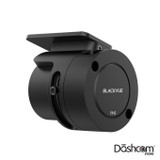
BlackVue Tamper-Proof Case for ELITE Series Dashcams | TP-E
The BlackVue TP-E Tamper-Proof Case is a security accessory custom-built for the BlackVue ELITE Series dash cam. This robust cover prevents rotation of the camera, blocks physical access to the......
The Dashcam Store
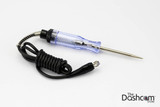
Automotive Test Light | Simple 12-24v DC Circuit Tester
Use this simple automotive circuit tester to identify suitable power circuits when installing a dashcam in your vehicle. This easy to use tool allows you to determine exactly which fuses in your fuse......
BlackVue
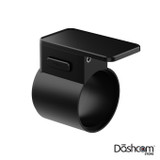
BlackVue ELITE Series Front Windshield Bracket | MB-E-F
An extra BlackVue ELITE Series FRONT dash cam windshield bracket for a second vehicle or to replace a damaged or lost mount. Includes brand new super-strong adhesive pad already attached to......
User Manual
What's included in the Box
- BlackVue ELITE 10 4K Front-Facing Camera w/ Windshield Mount (MB-E-F)
- BlackVue ELITE 10 4K Cabin-Facing Camera w/ Windshield Mount (MB-E-R)
- USB-C Power Cable (USBC-3P) 4.5M (~15ft)
- USB-C Power Adapter
- Direct-Wire Power Cord (CH-3P1) 4.5M (~15ft)
- Cabin camera connection cable 1.5M (~5ft)
- BlackVue OEM MicroSD Memory Card (choice of 64/256/512 GB)
- Spare Double-sided tape for the mounting brackets
- Pry tool / Trim Remover
- Cable clips (5 Each)
- Alcohol Prep Pad
Frequently Asked Questions - BlackVue ELITE 10 Cabin
- How does the ELITE 10 Cabin compare to other BlackVue models? Please see our BlackVue Dashcam Buyer's Guide for a detailed comparison
- Elite 8 1CH: 2K front camera
- Elite 8 2CH: 2K front camera, 2K rear camera
- Elite 9 2CH: 4K front camera, 2K rear camera
- Elite 10 1CH: 4K front camera
- ELITE 10 2CH: 4K front camera, 4K rear camera
- ELITE 10 Cabin (2CH IR): 4K front camera, 4K infrared interior camera (THIS MODEL)
- How can I connect to the ELITE 10 Cabin with my smartphone or via the Cloud? Answer: Two Methods to Connect Wirelessly to Your BlackVue Dashcam
- What options do I have for installing/powering the ELITE 10 Cabin?
- Plug the standard USB-C plug-in power cord (included) into an available 12V DC outlet in your vehicle (no "parking mode" recording), or
- Connect the included hardwiring cable directly to your fuse box. This enables safe "parking mode" recording. Or
- Utilize a standalone BlackVue B-130A battery pack (optional, not included)
- For more info see our infographic which illustrates 3 ways to install & power your BlackVue X-Series dashcam.
- The ELITE 10 Cabin is "Cloud-Capable", please tell me more about that. Please visit our BlackVue Over-the-Cloud page
- Does the ELITE 10 Cabin offer "Parking Mode"? Yes! Please see our Parking Mode and Power Magic FAQ page
- Additional questions? Please see our BlackVue-specific Frequently Asked Questions page.