





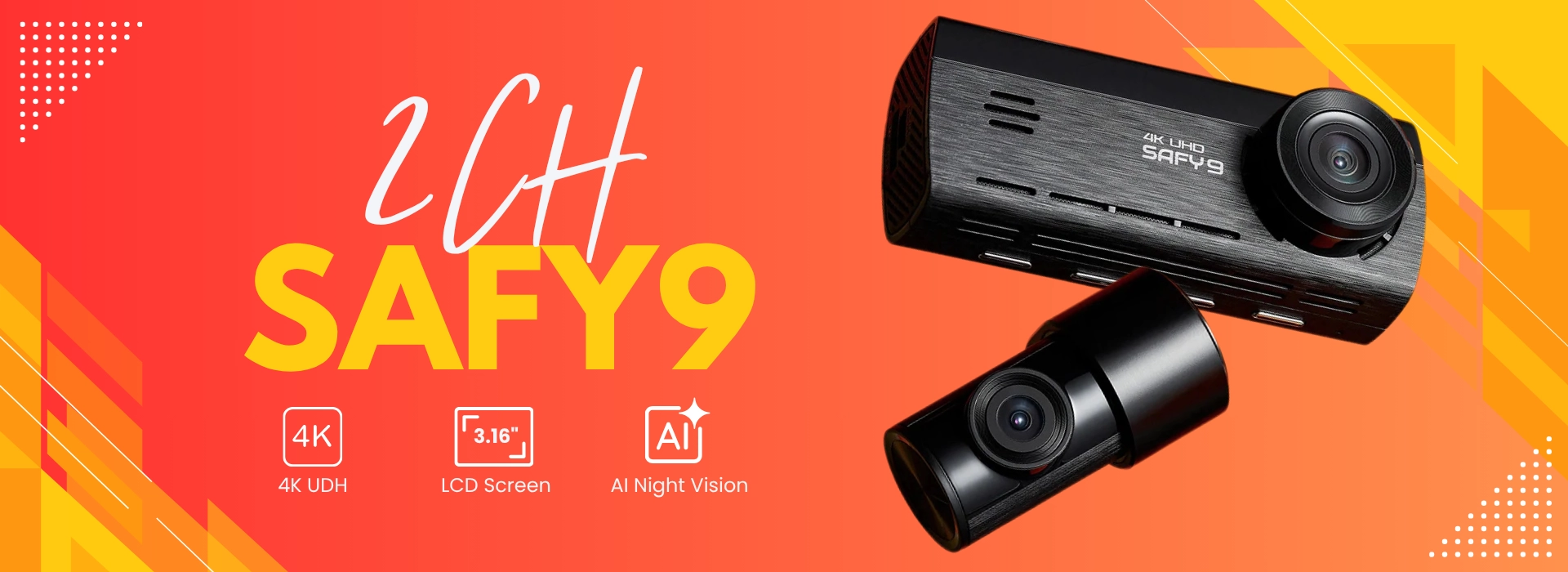

4K HDR Clarity
Capture every detail, even license plates, in ultra-clear 4K.

Sony STARVIS
Capture clear, low-noise color images in low light.

3.16" IPS Screen
Offers direct control, instant review, and easy one-tap view switching.

AI-Powered Night Vision
See the road in full color, even after dark.

24/7 Parking Protection
Peace of mind with continuous protection while parked.

Loop Recording
Automatically saves critical footage the moment an impact is detected.
Capture Crystal-Clear 4K
Day or night
SAFY9 records in true 4K Ultra HD (3840×2160), capturing sharp details from license plates to road signs. Day or night, the evidence is always crystal-clear.
A.I. Powered Night Vision
Delivering true-color clarity
Low-light grain, blown highlights, and muted color make details harder to see. Headlights wash out plates and darker areas blend together, usable, but not crystal clear.
Stunning 4K HDR
With SONY Starvis IMX415
Powered by Sony’s STARVIS IMX415 and an F1.79 aperture, SAFY9 sees more in the dark—less grain, better color. HDR (high dynamic range) smooths harsh lights and deep shadows for crisp footage.
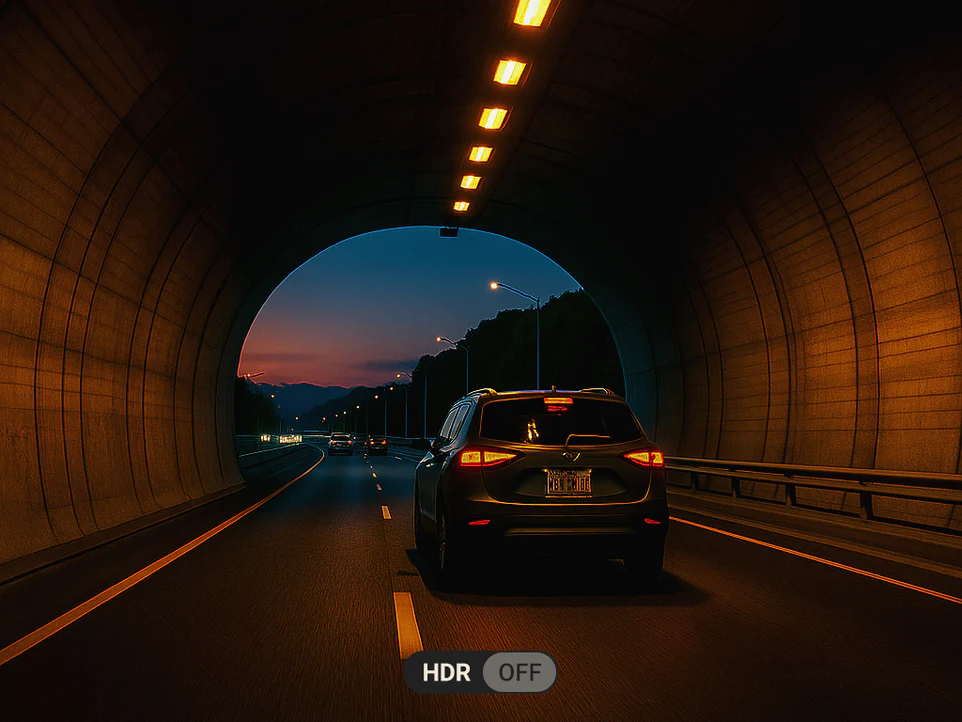
HDR OFF
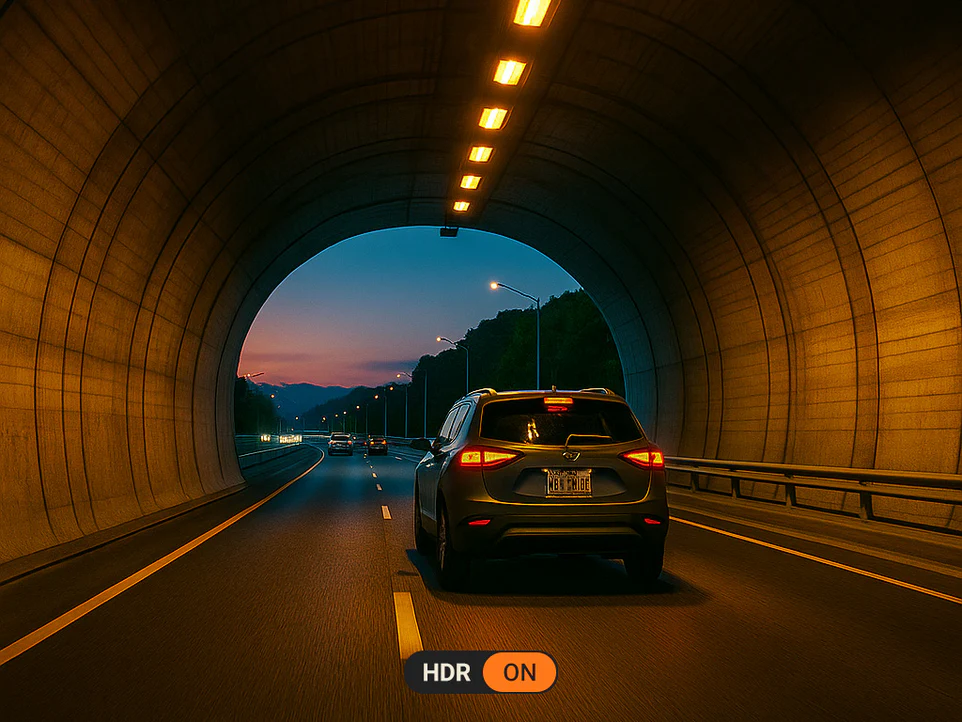
HDR ON
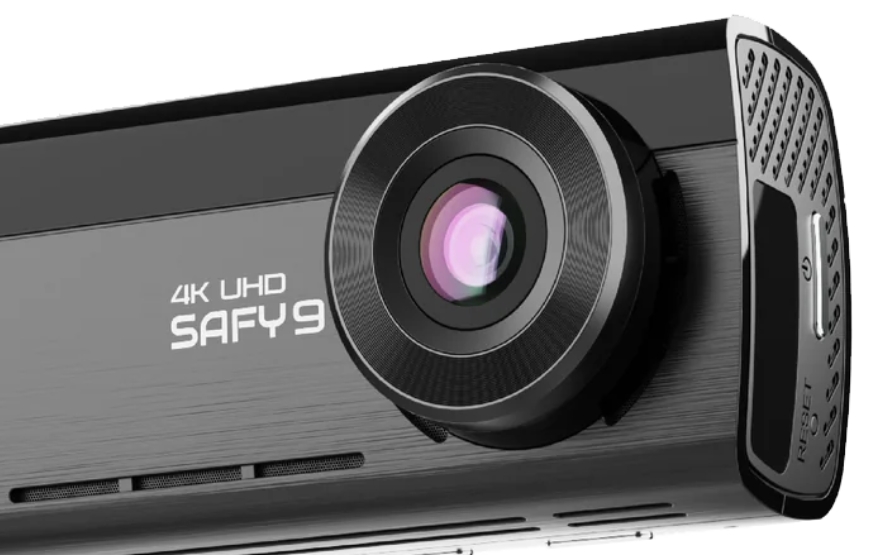
8 Layer Lens
An 8-layer lens that keeps things crisp and straight, no warpy corners, just incredible detail.
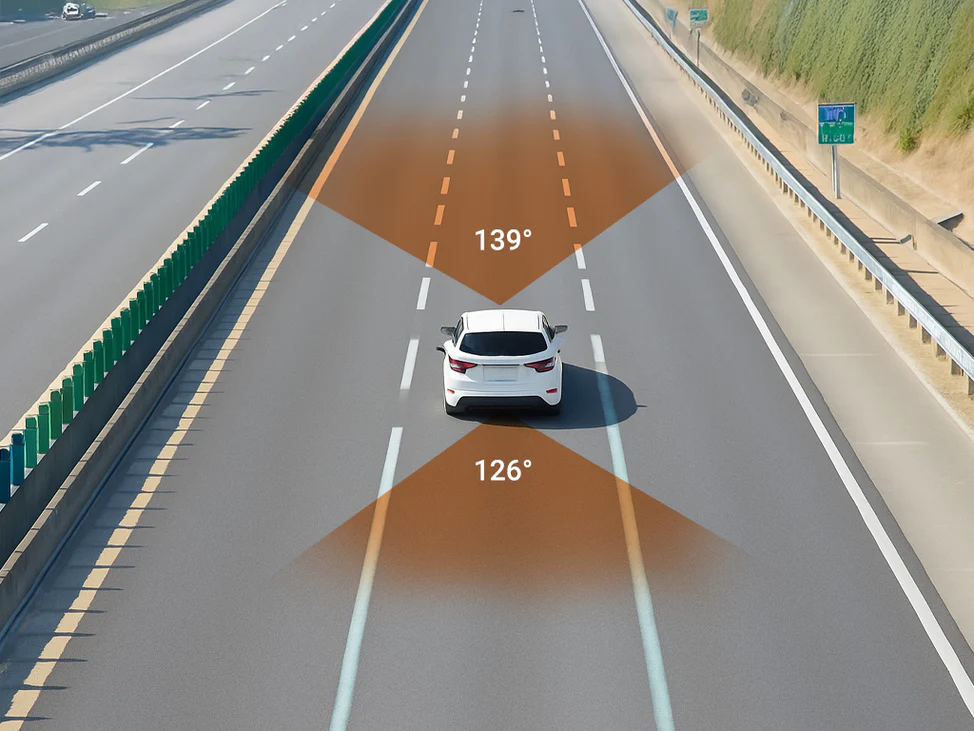
Wide & Clear View
The advanced f/1.79 large-aperture lens with 8-layer glass captures more light for brighter video in low light. It delivers crisp, distortion-free clarity with a wide 139° field of view, so you can see more of the road at once.
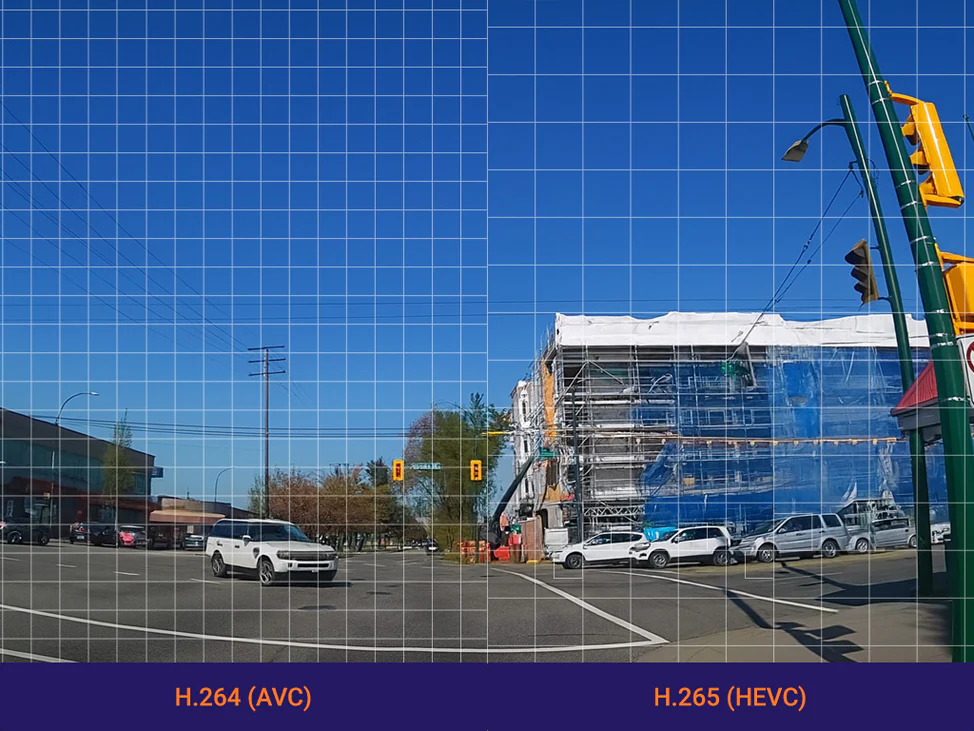
H.265 for Top-Quality Video with Smaller Files
H.265 keeps your videos sharp while reducing file size. SAFY9 preserves excellent 4K quality so you can record more without worrying about storage. Compared to H.264, it saves up to 30% more space and lets you record longer without losing clarity.
Always Protected With Intelligent Parking Mode
SAFY9’s Smart Parking Mode watches your car 24/7. Motion, impacts, and time-lapse, everything gets captured, even when you’re parked.

Motion Detection Mode
Motion-triggered recording means less clutter, more evidence.

Time-Lapse Mode
Great for long parking stints without chewing through your memory card.

Impact Detection Mode
The built-in G-sensor flags collisions and locks the recording automatically.
Extreme Conditions
Unfailing performance
AFY9 is engineered with an ultra-durable supercapacitor and a rugged build to ensure dependable performance in any climate. It operates safely between -20°C (-4°F) and 65°C (149°F), providing reliable power in extreme heat or cold. Even in the event of a sudden power loss, the supercapacitor ensures safe shutdown so your recordings remain protected. Built to endure harsh conditions, SAFY9 delivers long-lasting durability and consistent performance wherever the road takes you.

GPS Tracking
Speed and route history
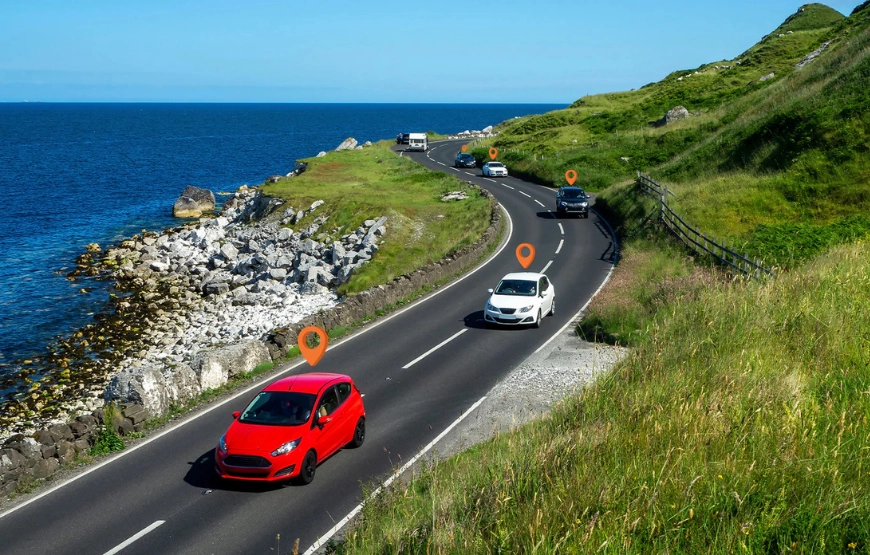
With its built-in GPS, SAFY9 logs every trip with precise time, speed, and location data. Each video is automatically geotagged, making it easy to review your routes through the SAFY app and providing stronger evidence for insurance claims or disputes.
Seamless Loop Recording
Set-and-forget recording
The SAFY9 automatically overwrites old footage with new recordings, ensuring continuous recording without interruption. You'll never have to worry about manually clearing old, unneeded footage, so your dash cam is always ready to capture every drive.
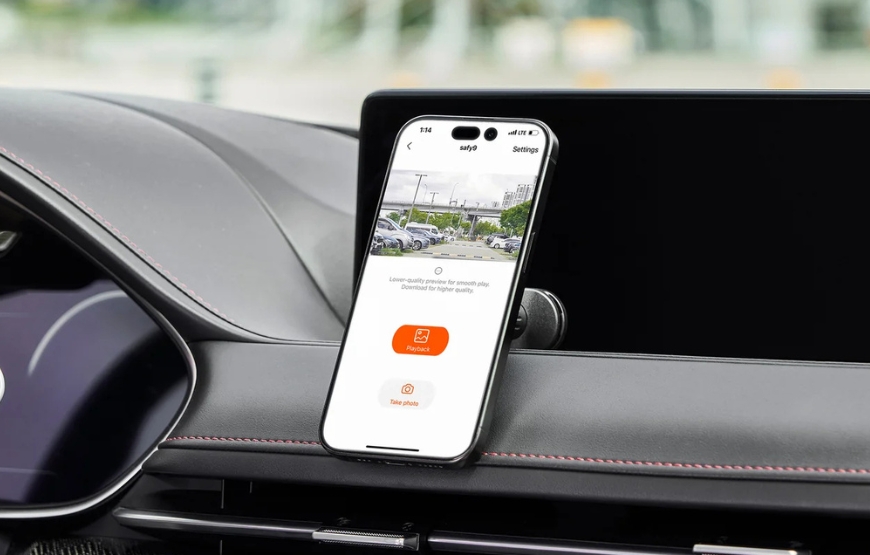
Seamless Wi-Fi
Seamless app connectivity
Stay connected with your dashcam anytime, anywhere. With built-in Wi-Fi and the SAFY mobile app, you can easily manage your SAFY9, watch live view, download recordings, or adjust settings, all from your phone.
LCD Screen With Simple Button Control
The bright 3-inch IPS LCD (960×376) delivers a sharp, clear view from any angle. Paired with large, user-friendly buttons, it makes navigating and controlling your SAFY9 effortless—including switching between front and rear cameras with a single tap.
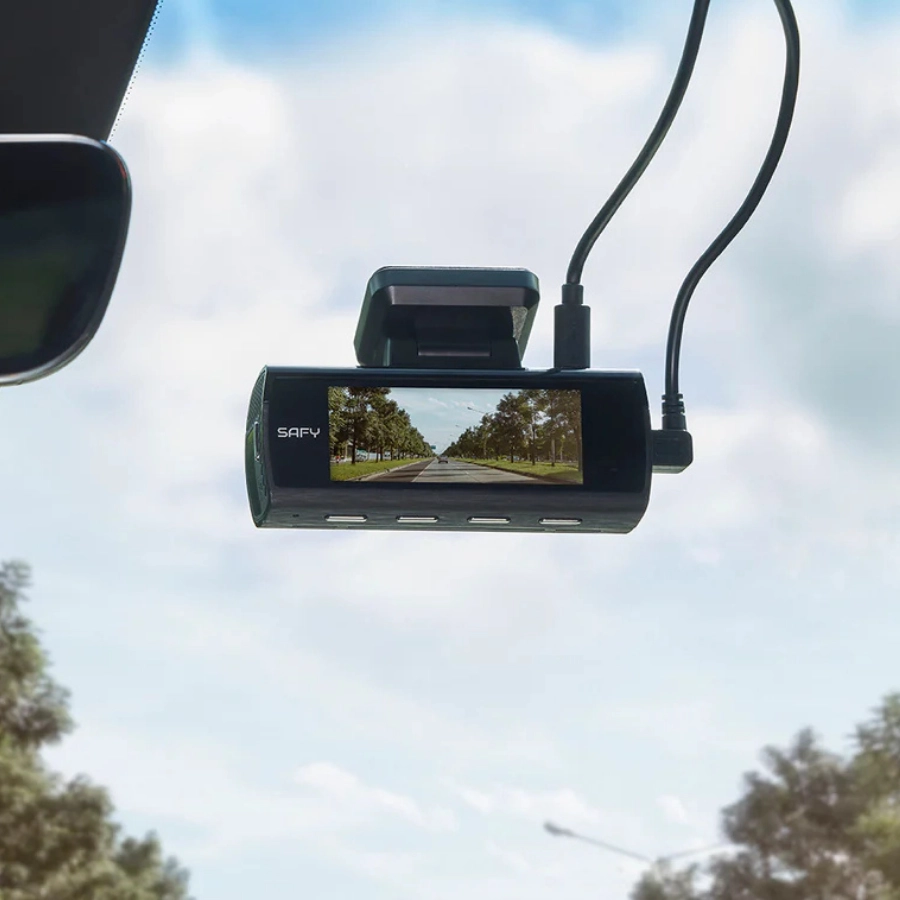
Clear 3-inch LCD View
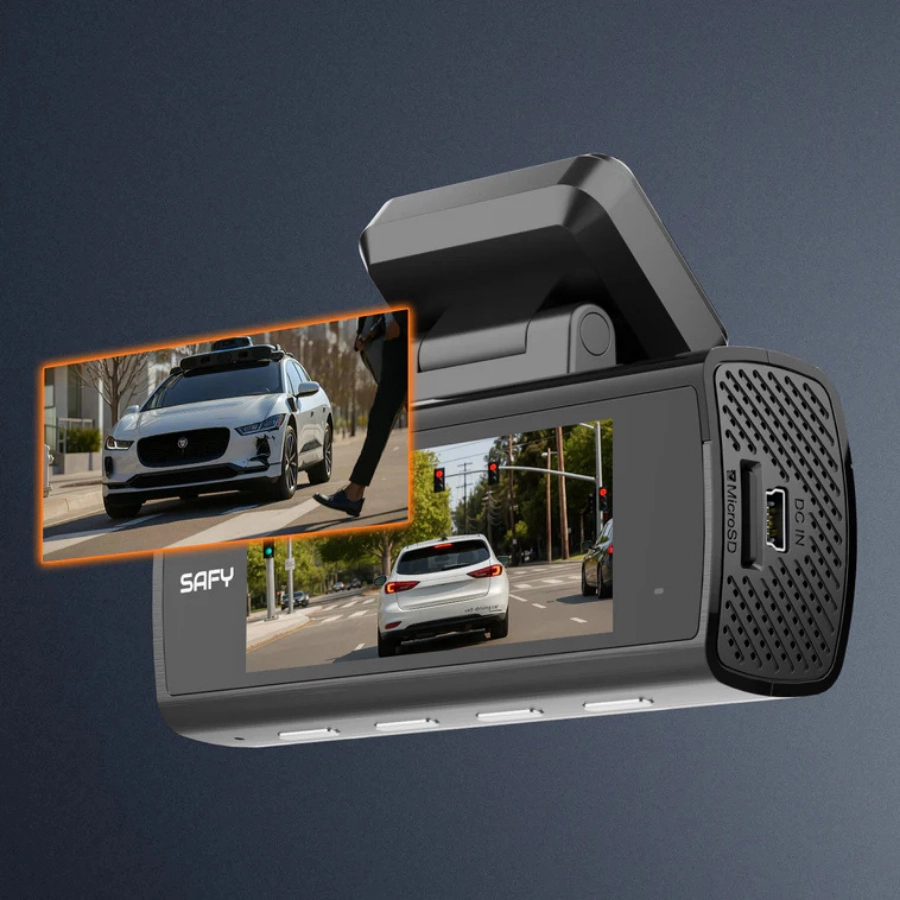
One-Tap Camera Switching
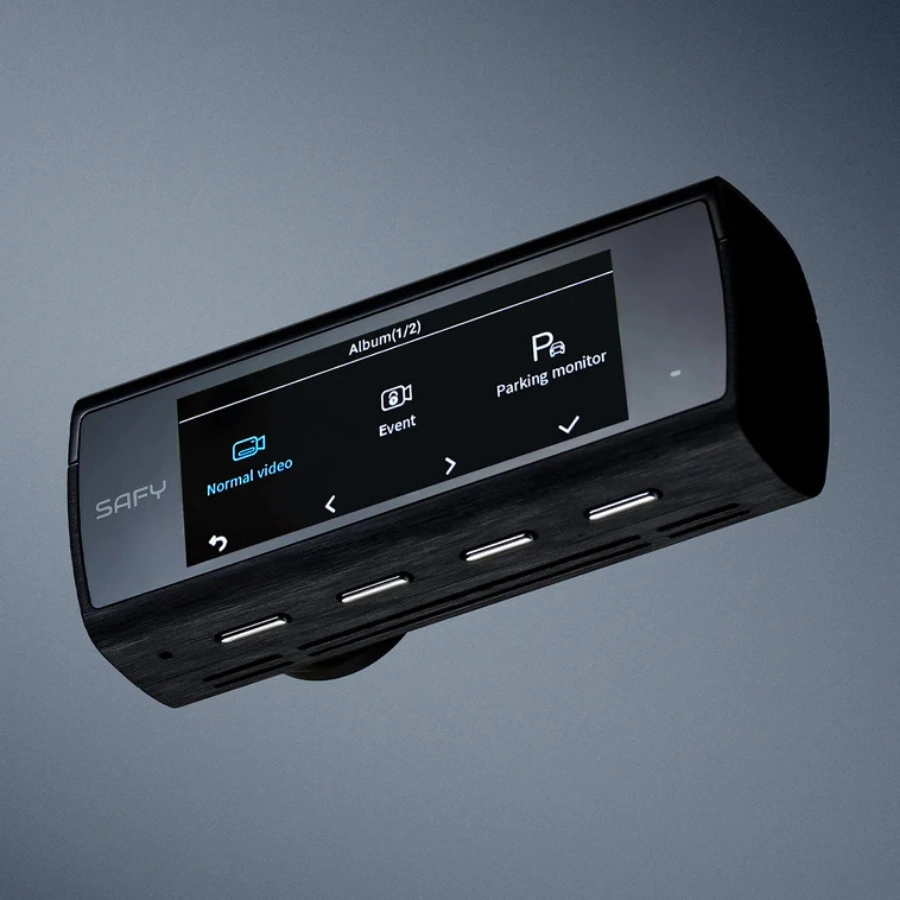
User-Friendly Controls
Why Buy from The Dashcam Store? To Name a Few...
- Free UPS/FedEx ground shipping on all dashcam purchases
- Excluding pre-orders, if you can buy it online, it's in stock!
- All in-stock items will ship next business day
- USA sales, shipping and support: we're headquartered in Austin, TX, y'all!
- One year warranty on all dashcams, extended warranties are available
- 60-day return window, hassle free return policy
- Official authorized SAFY distributor in North America
- Phone, email, and live-chat sales and technical support
- Dashcam experts, dashcams are all we do! Test our knowledge and expertise!
- Price match guarantee
- Military & First Responder discount
- Support an American small business, we appreciate it!
Availability
*** In stock and shipping FREE from Texas now! *** Order today!
The Dashcam Store™ is an official USA, Canada and Mexico distributor of the BlackVue/SAFY product line. Beware of unauthorized or grey-market third-party sellers!
User Manual
- Coming Soon!
The SAFY9 Can Be Installed/Powered in One of 2 Ways
- Plug the standard plug-in power cord (included) into an available 12V DC outlet in your vehicle (no "parking mode" recording), or,
- Connect the direct-wire power cable (optional) directly to your fuse box (see diagrams below). This enables safe "parking mode" recording. Or,
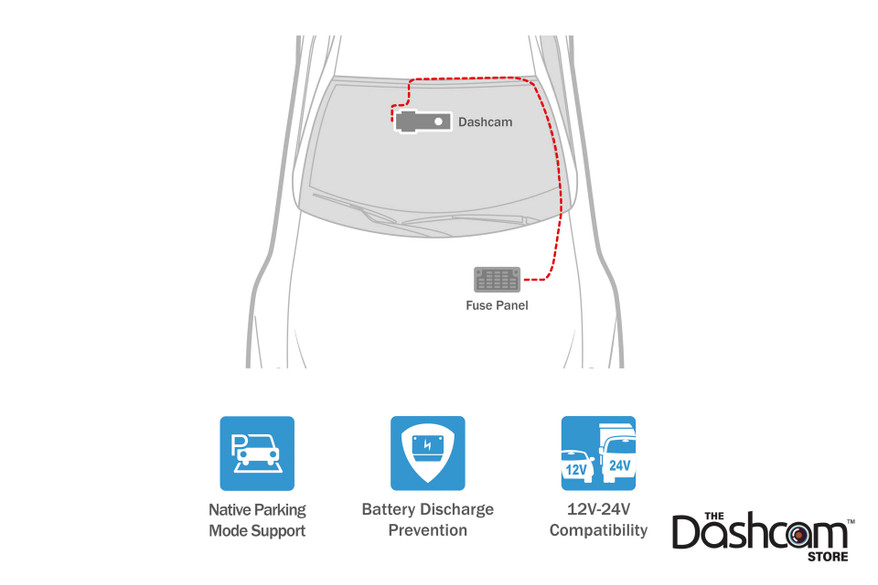
The SAFY9 Features Native Parking Mode
Thanks to the SAFY9's native (built-in) Parking Mode, the optional direct-wire harness can be safely connected directly to the fuse box. Parking mode with low-voltage safety cutoff can then be configured to your specifications in the dashcam settings.
What's included in the Box
- SAFY9 Front-Facing Dash Cam
- SAFY9 Rear Camera
- Rear camera connection cable
- 12v Cigarette Lighter Adapter
- USB-A Power Cable
- 64GB or 256GB MicroSD Card
- Electrostatic Stickers for Easy Installation
- Adhesive Mounts
- Trim Removal Tool
- Alcohol Pad
- Quick Start Manual
Frequently Asked Questions - SAFY9 2CH Dash Cam
- What are the main recording specifications (resolution, sensor) for the SAFY9?: The front camera records in4K UHD (30fps)using a Sony STARVIS IMX415 8MP sensor, while the rear camera supports Full HD (25fps) recording.
- What is required to use Parking Mode?: Parking Mode requires the hardwire kit (sold separately)to be properly installed and connected to your vehicle's power. Once installed, the dashcam will automatically switch to Parking Mode (impact, motion detection, or time-lapse) when the ignition is turned off.
- Does the dashcam have a feature to prevent my car battery from draining while parked?: Yes, theLow Voltage Cut-Off featureis a built-in battery protection system. It automatically stops recording if your car battery voltage drops to a safe pre-set level, ensuring you can still start your vehicle.
- How do I view footage or change settings using my smartphone?: You need to download the SAFY Direct app. Turn on the dashcam (it creates its own Wi-Fi hotspot), then connect your phone to the hotspot (name: SAFY_SAFY9_XXXX, default password:12345678). The app allows you to view the live feed, play back and download videos, and adjust all settings.
- What is Loop Recording, and how are important event files protected?: Loop Recording continuously records video in segments, automatically overwriting the oldest files when storage is full. Crucially, Event files triggered by the G-sensor (impact detection) are protected from being overwritten, ensuring vital footage is preserved.
- What should I do if my dashcam is not recording or is unresponsive?: First, ensure the microSD card is properly inserted and functional, and verify you have sufficient power supply (minimum 5V 2A). A solid red LED indicates a card error. If the device becomes unresponsive, use a pointed object to press the Reset button located on the dashcam to restart it.
Videos Hide Videos Show Videos
-

SAFY9 4K AI Powered Promotional Video
Where can I buy it? 🔗https://amzn.to/4nYGKS8 Drive with confi...
-
Unboxing SAFY9 with 4K Sony STARVIS & AI Night Vision!
Where can I buy it? 🔗https://safydirect.com Drive with confid...
-
SAFY9 Installation Instructions
Where can I buy it? 🔗https://safydirect.com Welcome to the of...
-
Actual SAFY9 Dashcam Footage: Cloudy
Where can I buy it? 🔗https://safydirect.com Drive with confid...
-
Actual SAFY9 Dashcam Footage: Night time
Where can I buy it? 🔗https://safydirect.com Drive with confid...
-
Actual SAFY9 Dashcam Footage: Rainy
Where can I buy it? 🔗https://safydirect.com Drive with confid...
-
Actual SAFY9 Dashcam Footage: Sunny
Where can I buy it? 🔗https://safydirect.com Drive with confid...


The Dashcam Store
Tire Pressure Gauge
Ensure your vehicle’s safety and performance with the Dashcam Store's official tire pressure gauge. Designed for accuracy and ease of use, it provides quick and precise pressure readings to help you......

The Dashcam Store
Auto Safety Tool | Shatters Glass & Cuts Seatbelts
Built to break side windows and cut through jammed seat belts, this compact, no-nonsense device features a steel-pointed head to shatter glass and a protected metal blade to slice through seat belts......

BlackVue
BlackVue SAFY9 Hardwire Kit For Parking Mode
SAFY9 Hardwire kit Keep your vehicle protected With Intelligent Parking Mode When your SAFY dash cam is paired with the dedicated hardwire kit, it draws a low, regulated current directly from......
The Dashcam Store
Automotive Test Light | Simple 12-24v DC Circuit Tester
Use this simple automotive circuit tester to identify suitable power circuits when installing a dashcam in your vehicle. This easy to use tool allows you to determine exactly which fuses in your fuse......

BlackVue
BlackVue Trim Tool | Interior Wiring Installation Helper
Used primarily as an aid for installing dashcam cables and wiring inside your vehicle. This handy trim tool will allow you to guide and tuck your wiring along and under door and window trims, body......
User Manual
- Coming Soon!
The SAFY9 Can Be Installed/Powered in One of 2 Ways
- Plug the standard plug-in power cord (included) into an available 12V DC outlet in your vehicle (no "parking mode" recording), or,
- Connect the direct-wire power cable (optional) directly to your fuse box (see diagrams below). This enables safe "parking mode" recording. Or,
The SAFY9 Features Native Parking Mode
Thanks to the SAFY9's native (built-in) Parking Mode, the optional direct-wire harness can be safely connected directly to the fuse box. Parking mode with low-voltage safety cutoff can then be configured to your specifications in the dashcam settings.
What's included in the Box
- SAFY9 Front-Facing Dash Cam
- SAFY9 Rear Camera
- Rear camera connection cable
- 12v Cigarette Lighter Adapter
- USB-A Power Cable
- 64GB or 256GB MicroSD Card
- Electrostatic Stickers for Easy Installation
- Adhesive Mounts
- Trim Removal Tool
- Alcohol Pad
- Quick Start Manual
Frequently Asked Questions - SAFY9 2CH Dash Cam
- What are the main recording specifications (resolution, sensor) for the SAFY9?: The front camera records in4K UHD (30fps)using a Sony STARVIS IMX415 8MP sensor, while the rear camera supports Full HD (25fps) recording.
- What is required to use Parking Mode?: Parking Mode requires the hardwire kit (sold separately)to be properly installed and connected to your vehicle's power. Once installed, the dashcam will automatically switch to Parking Mode (impact, motion detection, or time-lapse) when the ignition is turned off.
- Does the dashcam have a feature to prevent my car battery from draining while parked?: Yes, theLow Voltage Cut-Off featureis a built-in battery protection system. It automatically stops recording if your car battery voltage drops to a safe pre-set level, ensuring you can still start your vehicle.
- How do I view footage or change settings using my smartphone?: You need to download the SAFY Direct app. Turn on the dashcam (it creates its own Wi-Fi hotspot), then connect your phone to the hotspot (name: SAFY_SAFY9_XXXX, default password:12345678). The app allows you to view the live feed, play back and download videos, and adjust all settings.
- What is Loop Recording, and how are important event files protected?: Loop Recording continuously records video in segments, automatically overwriting the oldest files when storage is full. Crucially, Event files triggered by the G-sensor (impact detection) are protected from being overwritten, ensuring vital footage is preserved.
- What should I do if my dashcam is not recording or is unresponsive?: First, ensure the microSD card is properly inserted and functional, and verify you have sufficient power supply (minimum 5V 2A). A solid red LED indicates a card error. If the device becomes unresponsive, use a pointed object to press the Reset button located on the dashcam to restart it.